
Payment options

To facilitate ease and convenience for students, the university provides multiple fee payment methods, enabling students to submit their fees through both conventional and digital channels in a secure and efficient manner.

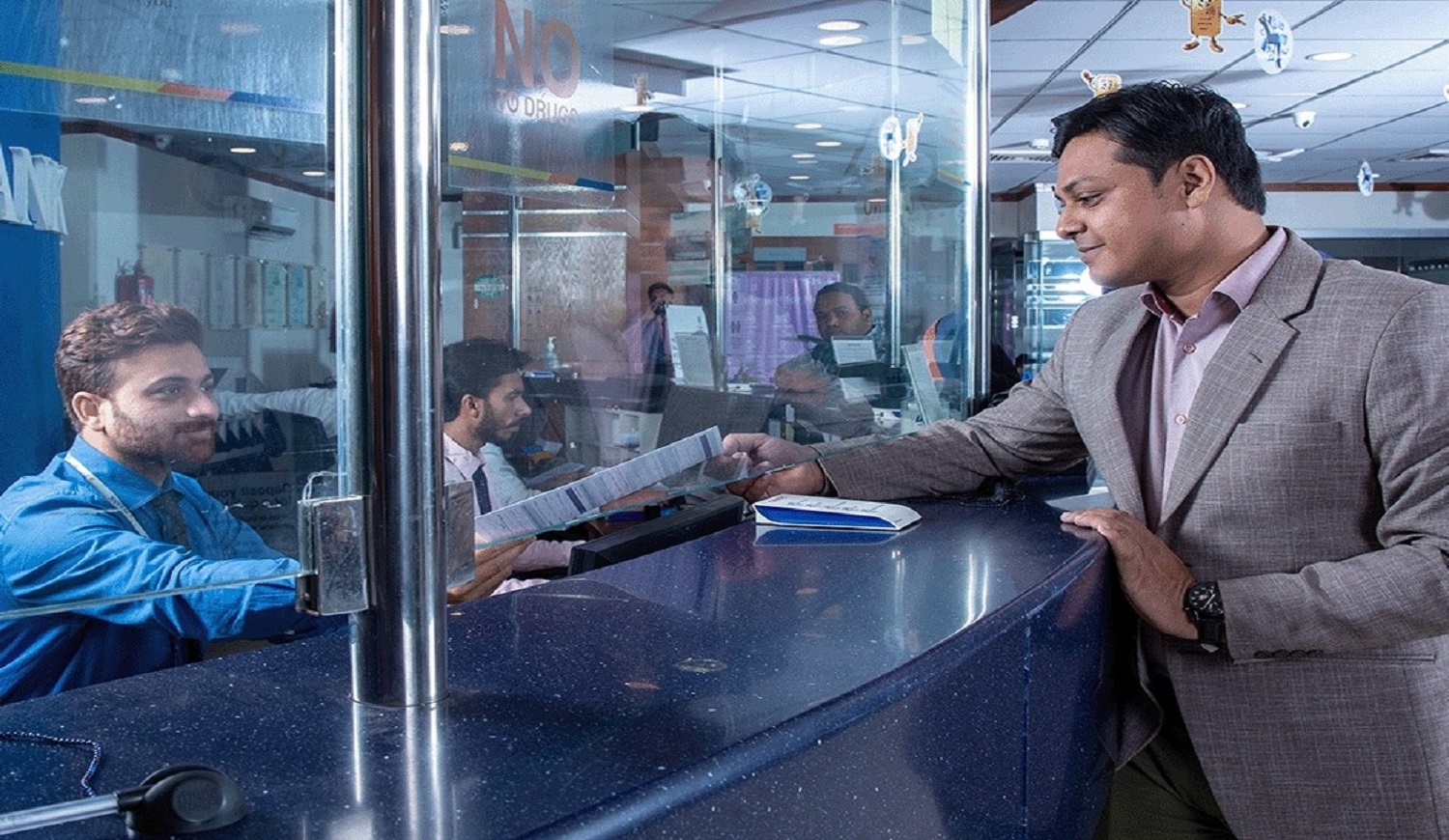
Cash Counter

At the counter of any branch of Allied Bank Limited (ABL) or in Any other Bank Branch

Online Payment Option

The fee can be paid via online banking, including Easypaisa, JazzCash, or any recognized bank.

What we have ?

Fee Payment Options

(For Regular / Continuing Students)

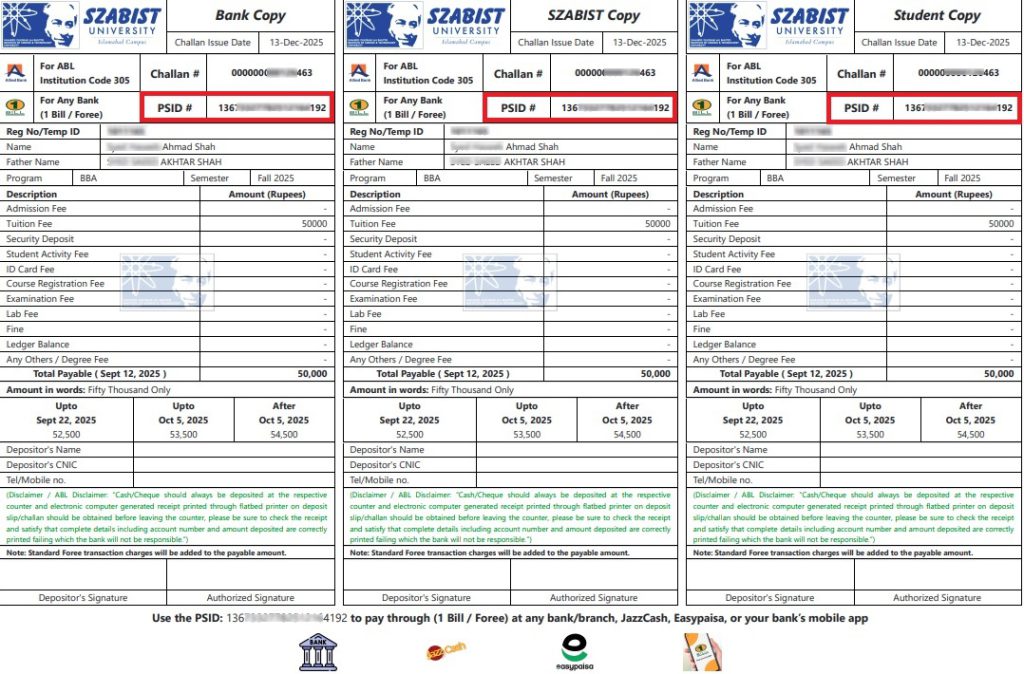
Regular / Continuing Students may process their fee payments through their respective Student Zabdesk Account after successful completion of the course registration process. The following payment options are available

Fee Payment Options

(For Provisionally / Newly Admitted Students)

Provisionally admitted students—who have successfully completed the admission process but have not yet paid the admission fee—are required to submit their fees to confirm enrollment.

Upon successful selection, students are issued an Offer Letter along with a System-Generated Fee Challan. The following payment options are available
Fee Payment Options

(For Regular / Continuing Students)

Regular / Continuing Students may process their fee payments through their respective Student Zabdesk Account after successful completion of the course registration process. The following payment options are available

A. Payment via Challan Generation

Students may generate a fee challan from their Zabdesk account and use any of the following payment methods:

A.1 Cash Payment at Bank Counter

Fee may be paid through:

  1. Any branch of Allied Bank Limited (ABL), or
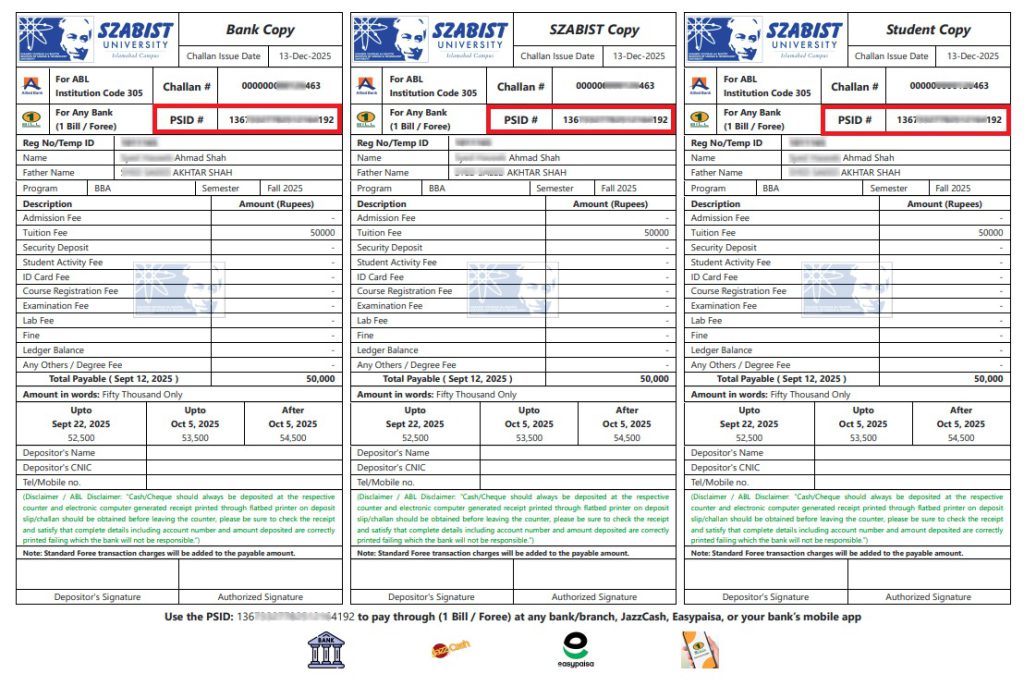
  2. Any other bank branch using the PSID mentioned on the challan
A.2 Online Payment Using PSID (from Challan)

Using the PSID printed on the challan, students may pay their fee through any of the following channels:

  • Debit / Credit Card
  • Mobile Banking Apps (1-Bill)
  • JazzCash
  • Easypaisa
  • ATM

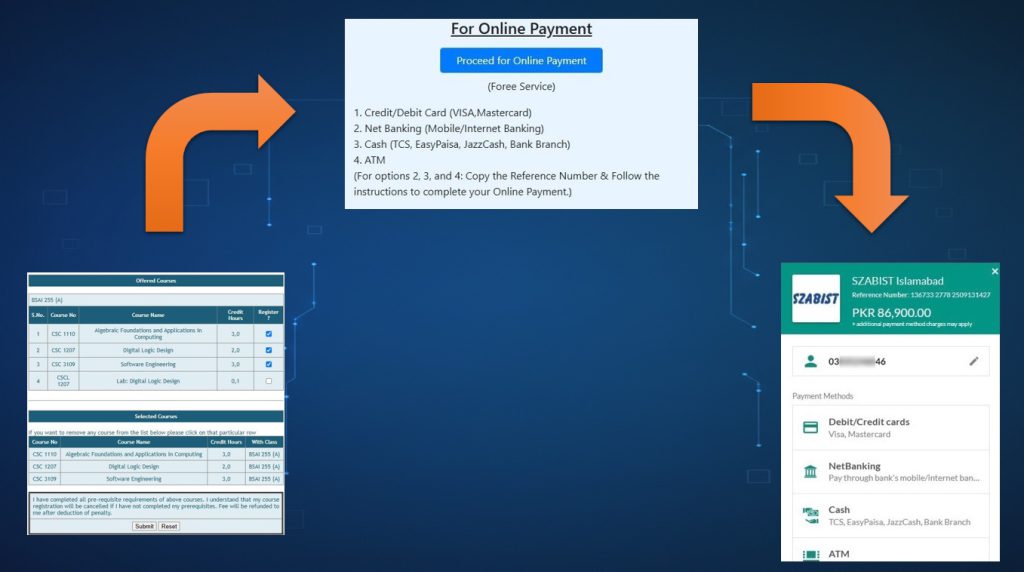
B. Direct Online Payment (Without Challan Generation)

Students who prefer not to generate a challan may opt for direct online payment. By selecting the Online Payment option in the Zabdesk system, a PSID will be generated automatically, allowing payment through:

  • Debit / Credit Card
  • Mobile Banking Apps (1-Bill)
  • JazzCash
  • Easypaisa
  • ATM

Other 1-Bill-enabled payment channels

Important Note
  • Fee payments are reflected automatically in the system upon successful transaction.
  • Students are advised to retain proof of payment for record purposes.
  • In case of any discrepancy or delayed reflection, students should contact the Finance Office.

Fee Payment Options

(For Provisionally / Newly Admitted Students)

Provisionally admitted students—who have successfully completed the admission process but have not yet paid the admission fee—are required to submit their fees to confirm enrollment.

Upon successful selection, students are issued an Offer Letter along with a System-Generated Fee Challan. The following payment options are available
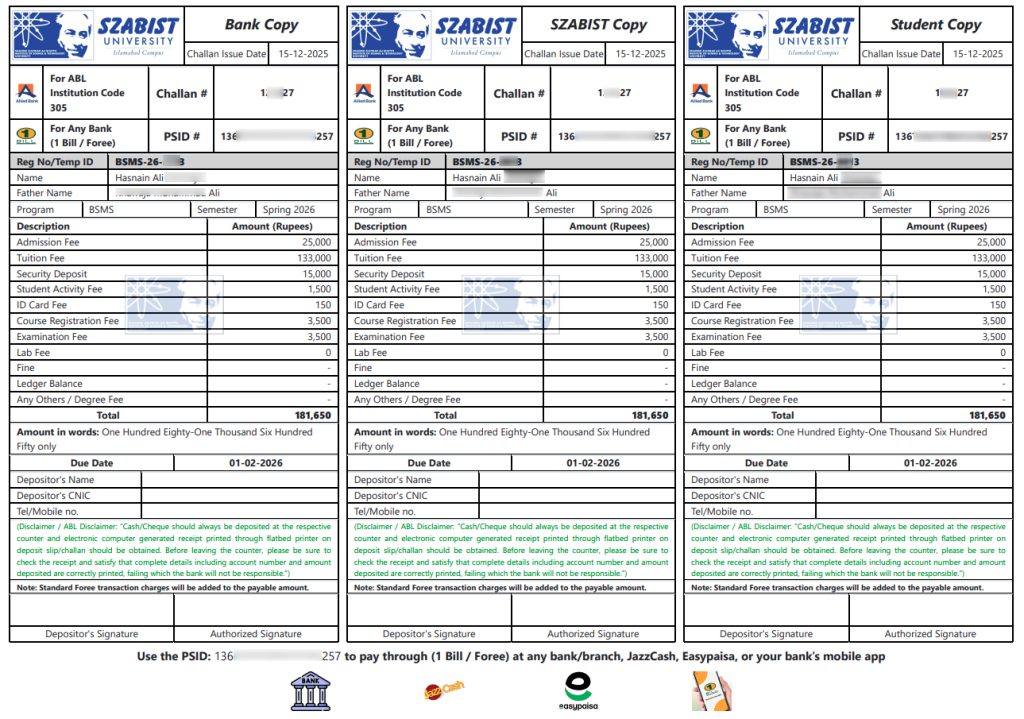
A. Payment via Fee Challan

Students who have received a fee challan may use any of the following payment methods:

A.1 Cash Payment at Bank Counter

The fee may be paid through:

  1. Any branch of Allied Bank Limited (ABL), or
  2. Any other bank branch using the PSID mentioned on the challan
A.2 Online Payment Using PSID (from Challan)

Using the PSID printed on the challan, students may submit their fee through any of the following digital channels:

  • Debit / Credit Card
  • Mobile Banking Apps (1-Bill)
  • JazzCash
  • Easypaisa
  • ATM
Important Note
  • Fee payment confirmation is mandatory to finalize admission. Payments are automatically reflected in the system upon successful transaction.
  • Students are advised to retain proof of payment for record purposes.
  • In case of any discrepancy, students should contact the Finance Office.

Frequently Used Payment Options

Steps to follow​

  • Step 1: Enter Registration No. / Applicant ID

  • Step 2: Enter Challan / PSID

  • Step 3: Review and confirm the details

  • Step 4: Click "Debit / Credit Card"

  • Step 5: Enter Card details

  • Step 6: Proceed for payment

Credit / Debit Card

Click here to proceed for payment

Steps to follow​

  • Step 1: Open your Bank App

  • Step 2: Select 1 Bill

  • Step 3: Enter you PSID

  • Step 4: Review & Confirm

  • Step 5: Proceed for Payment

Steps to follow

  • Step 1: Log in to your JazzCash Account

  • Step 2: Click on View All

  • Step 3: Select "Other Payments"

  • Step 3: Select “Corporate Payments”

  • Step 4: Select 1Bill Invoice option

  • Step 5: Enter CRN / PSID

  • Step 6: Click on confirm

  • Step 7: Enter account pin code and click on double check mark

Steps to follow

  • Step 1: Log in to your EasyPesa Account

  • Step 2: Select Bill Payment

  • Step 3: Select Others

  • Step 4: Select 1Bill Invoice / voucher

  • Step 5: Enter Consumer No.

  • Step 6: Click on Next

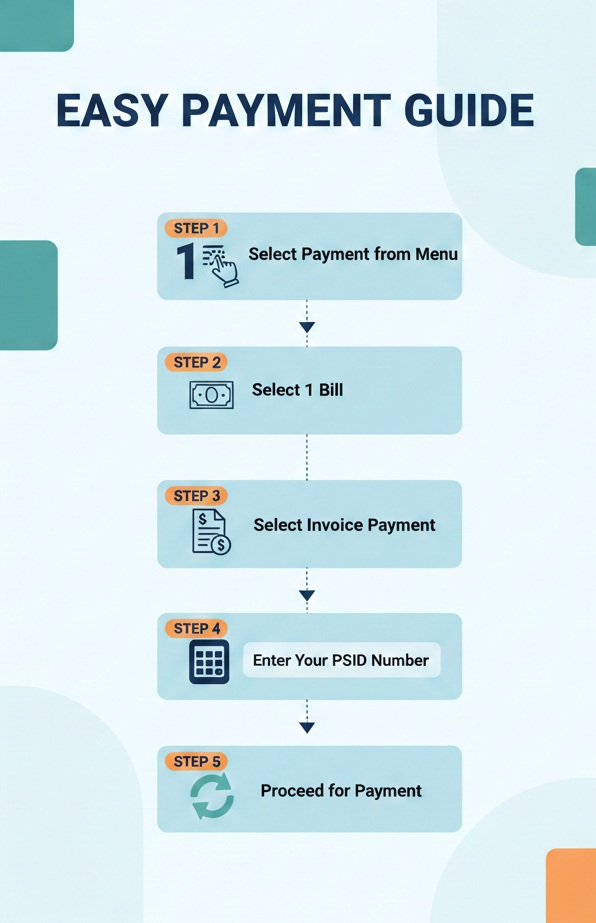
Steps to follow​

  • Step 1: Select Payments from Menu

  • Step 2: Select 1 Bill

  • Step 3: Select invoice payment

  • Step 4: Enter your PSID number

  • Step 5: Proceed for paymnet

Steps to follow

  • At the counter of any branch of Allied Bank Limited (ABL) or in Any other Bank Branch

  • Also this PSID at challan can be use for online payment option like

  • Debit / Credit Card
  • Mobile Banking Apps (1-Bill)
  • JazzCash
  • Easypaisa
  • ATM

All Payment Options

Important Note
PSID-based online payments are subject to standard Foree service charges, which will be added to the payable amount
1. 1-Bill
Payment Charges
0 – 5,000
20 + F.E.D
5,001 – 10,000
40 + F.E.D
10,001 – 25,000
80 + F.E.D
25,001 – 100,000
160 + F.E.D
Above 100,001
320 + F.E.D
2. Debit / Credit Card: 2.00% + F.E.D